Last updated: October 2026
Quick answer: Maintain a CTP machine with a short routine: daily checks of the room, plate path and error log; weekly cleaning of the drum surface, rollers and vacuum points; monthly checks of dust filters, calibration and backups. Keep the plate room clean, stable and within the machine manual’s limits, and leave the laser and optics to a trained service engineer.
Key takeaways
- A short daily, weekly and monthly routine prevents most stoppages and keeps plate quality stable.
- Dust, unstable temperature and humidity cause more platesetter problems than wear.
- Many plate defects come from the processor, chemistry, plates or room, not the platesetter, so check the whole plate line first.
- Operators clean and check; only trained engineers open the laser and optics.
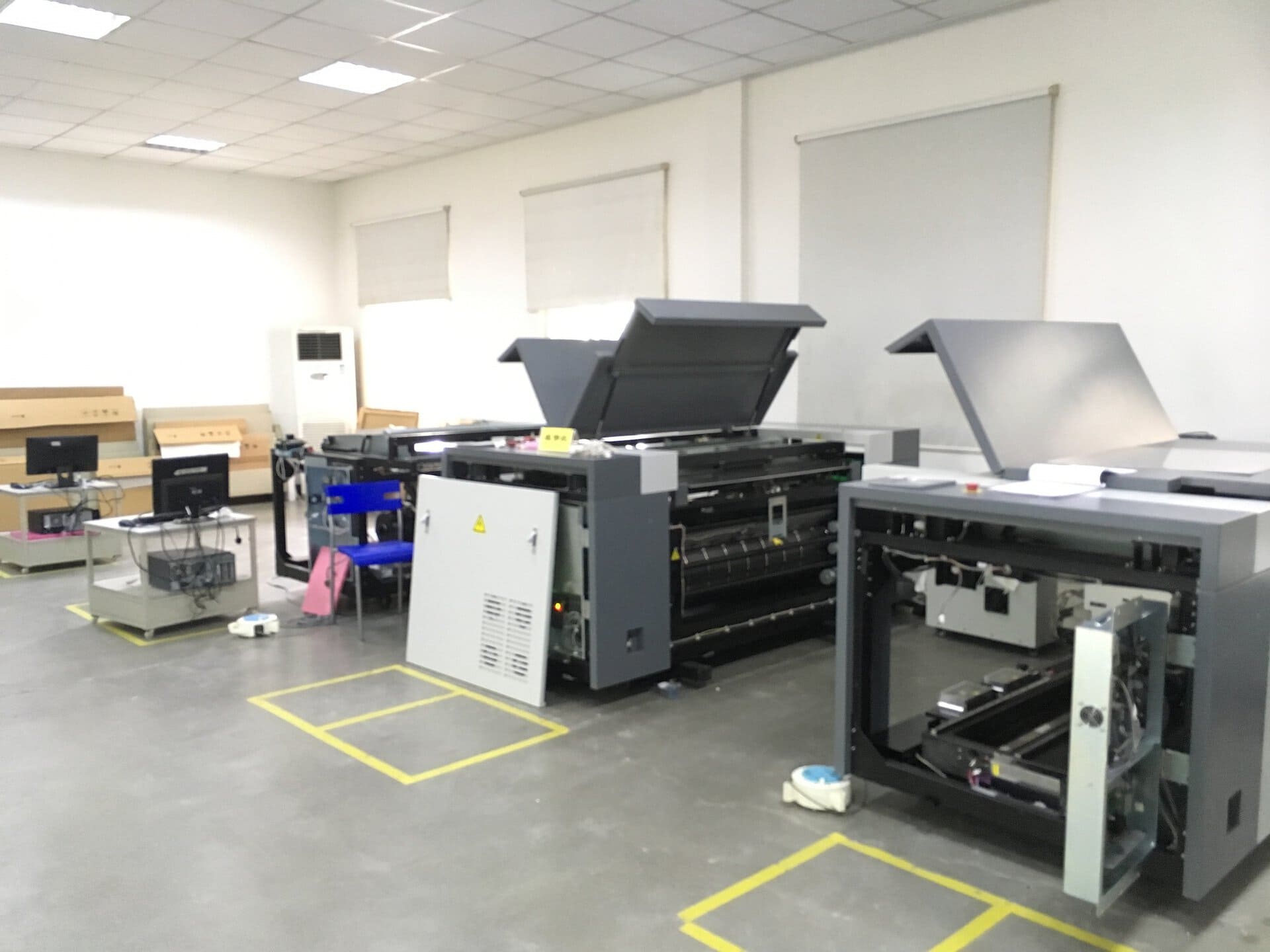
A platesetter is usually the most expensive machine in the plate room, and when it stops, the presses stop. Yet many shops treat maintenance as “the engineer’s job” and only act when the machine stopped in the middle of a rush job. This guide gives operators a routine they can follow without special tools. It applies to thermal and UV platesetters in general; your machine manual always takes priority for cleaning agents, intervals and limits. The CTP machines we offer are supplied with our partner factories, and each comes with its own manual and specification sheet.
Why CTP machine maintenance matters
“The machine runs fine, so why touch it?” is a common objection. The problem is that most failures build up slowly. Dust collects on the drum and sensors, a vacuum point clogs, a roller picks up coating, and then one day plates jam during loading or banding lines appear on every plate. A routine catches these early, when the fix is a cloth and five minutes rather than a service visit.
Maintenance also protects plate quality. Small changes in exposure or plate handling show up as tint drift or scratches, which press operators often blame on the plates. Stable machine condition makes troubleshooting much easier.
Daily maintenance routine
- Check the room. Read the thermometer and hygrometer in the plate room and compare with the limits in the machine manual. Keep doors closed.
- Check the error log. Look at the platesetter’s log or status screen for warnings from the previous shift.
- Inspect the plate path. Remove slip sheets, paper fragments and plate chips from the loading table, cassette and output area.
- Wipe external surfaces. Use a dry lint-free cloth on covers and the loading table so dust does not enter during loading.
- Image a control strip. On the first plate of the day, check a control strip or small test form after processing.
- Check the processor. Developer level, temperature reading and rollers; a stable plate processor is half of stable plate quality.
Weekly maintenance routine
- Switch off and isolate the machine as described in the manual before cleaning inside covers.
- Clean the drum surface with the cleaning agent and cloth the manual specifies. Never use abrasive pads.
- Clean transport rollers and plate guides to remove coating residue and aluminium dust.
- Check vacuum holes or clamping points for blockage and clean them carefully.
- Check plate sensors and photo cells for dust; clean only as the manual allows.
- Image a full test form across the plate width and compare with the reference plate.
Monthly and periodic maintenance
| Task | Who | Why |
|---|---|---|
| Check and clean or replace dust and cooling filters | Operator / maintenance | Blocked filters raise internal temperature and pull dust inside |
| Check compressed-air supply where the machine or punch uses it | Maintenance | Moisture or oil in the air damages valves |
| Verify linearisation and calibration curves | Prepress | Tint drift often starts as a small curve error |
| Back up RIP settings, calibration files and job templates | Prepress | A disk failure should not mean recalibrating from zero |
| Inspect cables, earthing and power supply stability | Electrician | Voltage dips cause random errors |
| Laser, optics and focus check | Trained service engineer only | Precision parts; wrong handling causes expensive damage |
Keep a simple logbook beside the machine: date, task, who, and anything unusual. When you need remote help, the log shortens diagnosis a lot. Our technical support team asks for exactly this information.
Room conditions and the plate room environment
Platesetters, plates and chemistry all prefer a clean, stable room. Follow the temperature and humidity range in the machine manual and in the plate TDS. As general good practice:
- Keep the platesetter away from doors, windows, press exhaust and paper dust.
- Use air conditioning to avoid large swings between day and night.
- Use the correct safelight for UV/CTcP rooms; thermal plates can be handled in normal room light.
- Provide a stable, earthed power supply; a voltage stabiliser or UPS is common where the grid is unstable.
- Store plates flat, sealed and acclimatised; see our plate storage guide.
Troubleshooting common platesetter problems
Many buyers believe every plate defect is a machine fault. In practice many defects come from the processor, chemistry, plates or room conditions, so check the whole plate line before calling an engineer. Our CTP plate troubleshooting guide covers plate-side causes in detail.
| Symptom | Likely machine cause | Also check |
|---|---|---|
| Banding lines in tints | Dirty drum, focus or laser channel issue | Processor rollers, developer condition |
| Plate jams during loading | Slip sheet left on plate, dirty rollers, sensor dust | Plate size and flatness, gauge setting |
| Image shifted or skewed | Plate guides, clamping, registration pins | Punch registration, plate edge damage |
| Weak or uneven image | Exposure setting, laser output drift | Developer exhaustion, wrong plate grade |
| Scratches on plates | Debris in plate path or on drum | Handling, processor brushes |
| Random errors and restarts | Overheating, blocked filters | Power supply, earthing, room temperature |
If the processor side is suspect, follow our plate processor maintenance checklist first; it is quicker to fix than the platesetter.
What not to do
- Do not open laser heads or optics covers, and do not touch lenses.
- Do not spray cleaner directly into the machine; apply it to a cloth.
- Do not use solvents or abrasives the manual does not approve.
- Do not bypass safety interlocks to save time.
- Do not change exposure to hide a processor or chemistry problem.
- Do not skip routines because “we have no time to stop the machine for cleaning”; schedule them at shift change.
FAQ
How do you maintain a CTP machine?
Follow a daily, weekly and monthly routine: check the room, error log and plate path daily, clean the drum, rollers and vacuum points weekly, and check filters, calibration and backups monthly, as the machine manual specifies.
How often should a CTP machine be cleaned?
External surfaces and the plate path should be cleaned every day, the drum and rollers weekly, and filters monthly. Dusty rooms or high volume need shorter intervals; the machine manual gives the minimum.
What causes banding on CTP plates?
Banding can come from a dirty drum, focus or laser channel issues on the platesetter, or from processor rollers and exhausted developer. Check the processor and chemistry first, then call a service engineer for laser or focus issues.
What room conditions does a CTP machine need?
A clean, dust-controlled room with stable temperature and humidity within the machine manual’s range, stable earthed power, and the correct safelight for UV plates.
Can operators clean the laser head themselves?
No. Operators should clean only what the manual allows, such as covers, the drum surface and rollers. Laser heads and optics should be handled only by a trained service engineer.
Need help with a recurring platesetter or plate problem? Request a quote for spare plates, a processor or service support — send your machine type, plate grade, symptoms and photos of the plate. Or request trial plates / contact us.
Disclaimer: values on this page are typical and for reference only; final specifications, MOQ, price and lead time are subject to the grade TDS and the quotation.