
Last updated: November 2026
Quick answer: Most flexo printing problems come from five sources: impression, anilox and ink film, ink condition, mounting, and the plate itself. Start with the cheapest checks: set kiss impression, confirm the anilox is clean, check ink viscosity and pH, then inspect mounting and plate. Change one variable at a time and record what worked.
Key takeaways
- Excess impression is behind many flexo faults: halos, dot gain, squeezed text and dirty print.
- Check anilox, ink and mounting before blaming the plate; then check plate relief, finishing and ink compatibility.
- Plate swelling, tackiness and cracking usually point to ink or solvent compatibility, finishing or storage.
- Use the table below as a structured checklist and change only one thing at a time.
Flexo is a forgiving process in some ways and a sensitive one in others. A soft photopolymer plate, a compressible tape, an engraved anilox and fast-drying ink all interact, and one fault often has two or three possible causes. This guide groups the most common flexo printing problems by symptom and shows what to check first. It does not replace your press manual or ink supplier’s advice, but it helps you find the source faster.
Start here: the five-minute check
- Impression: back off plate-to-substrate and anilox-to-plate impression, then bring in to kiss impression, just enough to print solids fully.
- Anilox: confirm the right roller is in, it is clean, and the doctor blade is set correctly.
- Ink: check viscosity and, for water-based inks, pH against the ink supplier’s range.
- Mounting: look for lifted edges, bubbles or the wrong tape for the job.
- Plate: inspect the plate surface for swelling, tack, damage or dried ink.
Flexo printing problems table
| Problem | What it looks like | Likely causes | Fix |
|---|---|---|---|
| Dirty print / fill-in | Reverse text and shadows fill with ink | Too much impression, ink drying on plate, anilox volume too high, shallow relief | Reduce impression; adjust ink drying speed; check anilox and plate relief |
| Dot gain | Tints print darker than the file | Impression, anilox too coarse, soft or swollen plate, tape | See flexo dot gain for the full method |
| Halo | Dark outline around text and dots | Excess plate-to-substrate impression | Back to kiss impression; check tape hardness |
| Pinholes | Tiny unprinted spots in solids | Low ink film, ink surface tension, substrate treatment, plate surface | Check anilox volume and ink; check substrate treatment level; consider solid screening |
| Mottle | Uneven, cloudy solids | Ink film too thin, substrate absorbency, wrong tape | Firmer tape for solids; check anilox and ink |
| Slur | Dots smeared in the print direction | Speed mismatch, too much impression, slippage | Check gears and web tension; reduce impression |
| Bounce / banding | Bands across the web at regular spacing | Sleeve run-out, gear marks, plate gap, unsupported solids at the lead edge | Check sleeves and gears; stagger plate gaps |
| Feathering | Ragged edges on solids and text | Ink too thin, too much impression, ink drying on plate | Adjust ink viscosity and impression |
| Ghosting | Faint repeat of image elsewhere | Anilox starvation from heavy solids | Change layout or anilox; split solids onto a separate plate |
| Misregister | Colours not aligned | Mounting error, web tension, repeat mismatch, gauge mismatch | Check mounting marks, sleeves and plate gauge |
Problems that point to the plate
When the press side checks out, look at the plate. These faults are the ones most often linked to plate selection, platemaking or plate care.
| Plate symptom | Likely cause | Check / fix |
|---|---|---|
| Plate swells, dots grow during the run | Ink or wash solvent not compatible with the photopolymer | Match plate type to ink system; see flexo ink and plate compatibility |
| Tacky plate surface, picks up paper fibre or dust | Incomplete light finishing (detack) or post-exposure | Check finishing times and lamps in the platemaking line per the plate TDS |
| Surface cracks after storage | Ozone (for example near corona treaters), UV light or heat during storage | Store plates covered, cool and away from ozone sources |
| Fine dots or lines missing | Main exposure too short, washout too aggressive, or details below plate capability | Run an exposure test; check washout settings |
| Reverses fill in even at kiss impression | Relief too shallow or back exposure too long | Check relief depth; see flexo plate relief depth |
| Uneven solids across the plate | Uneven floor or plate thickness, or bubbles under the plate | Measure plate thickness; remount |
Platemaking settings (back exposure, main exposure, washout, drying, finishing) follow the plate grade TDS and the processor manual. Our partner-supplied flexo plate processors page covers the platemaking units.
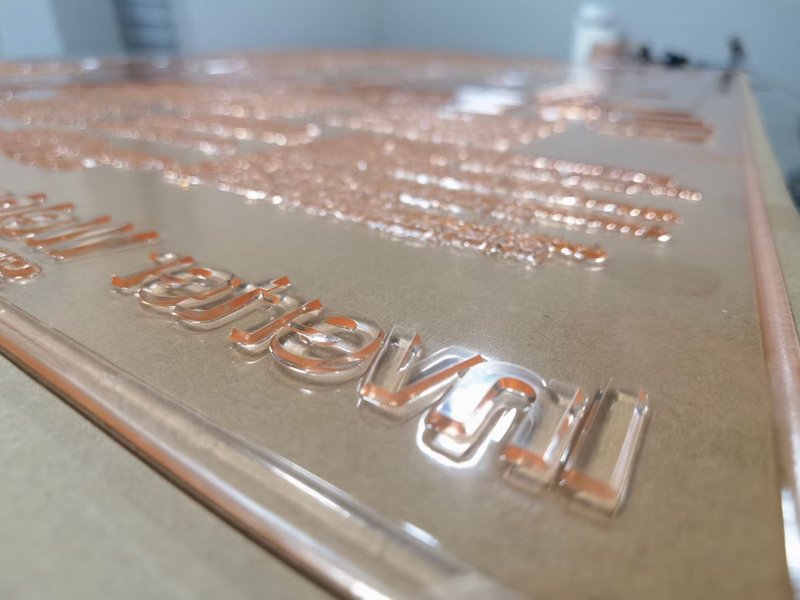
Problems that point to anilox and ink
- Colour weak although ink is right: plugged or worn anilox cells; deep-clean and measure volume. See our anilox roller guide.
- Ink drying on the plate: ink too fast for the press speed, too much air flow at the plate, or wrong solvent balance; follow the ink supplier’s guidance.
- Foam in water-based ink: pump or circulation issues, ink condition; check with the ink supplier.
We supply flexo plates but not inks; ink adjustments should be agreed with your ink supplier.
Problems that point to mounting
Lifted edges, bubbles, wrong tape hardness and sleeve damage cause many repeat faults. Use a consistent mounting routine and choose tape by job. See flexo sleeves and mounting tape for tape choice and mounting faults.
A shared colour reference shortens troubleshooting: many converters work to the flexographic aims in ISO 12647-6 and approve against proofs made to ISO 12647-7, so everyone compares the print to the same target.
More press-side faults: bars, ghosting, streaks and lifting plates
The table above covers the faults seen most often. The ones below are rarer, but each has a short list of causes worth checking in order before anyone remakes a plate.
| Problem | Possible causes | What to do |
|---|---|---|
| Bars across the web | Press not set to its standard; poor plate cylinder accuracy; mounting tape that varies in density; uneven pressure or parallelism between anilox, plate cylinder and impression cylinder | Set each unit back to the press maker’s standard; replace a worn or out-of-round plate cylinder; choose tape density to suit the job (soft, medium or firm); set the three cylinders parallel at the right pressure |
| Ghosting (double image) | Too much printing pressure; too much ink transferred; worn plate or plate cylinder; mounting tape too hard | Reduce printing pressure to the minimum that prints; reduce anilox-to-plate pressure; replace the worn plate, cylinder or tape |
| Streaks in the print direction | Worn doctor blade; scored anilox roller; damaged plate | Replace the blade, have the anilox inspected or replaced, or remake the plate |
| Plate edges lifting | Plate mounted incorrectly; cleaning solvent left on the plate cylinder or sleeve | Clean and dry the cylinder before mounting, then remount the plate with fresh tape |
| Poor ink adhesion | Ink not suited to the substrate; substrate or coating problem, such as low surface treatment on film | Check the film’s treatment level with dyne test liquids, then match the ink to the substrate |
| Ink drying too fast | Ink dries too fast for the job; press running too slowly; dryer too hot | Adjust or change the ink; raise press speed; lower the dryer temperature |
| Ink foaming | Friction between the fountain roller and anilox at high speed beats air into the ink | Add a defoamer or change to a better-grade ink |
| Uneven slitting | Unequal cutting force; poor tension control; deformed nip roller | Adjust the slitting roller and the tension; replace the nip roller |
Two notes help when reading these tables together. First, flexo is a light-pressure process: roughly 2 kg per centimetre of contact against 4–10 kg/cm in offset. Most flexo faults get worse, not better, when pressure is added to cure them. Second, the plate is the last suspect, not the first: if a fault moves with the anilox, blade or tape, the plate is not the cause. When it does point to the plate, our flexo plate grades are listed by thickness and hardness, and the doctor blade guide covers blade wear.
How to prevent recurring flexo problems
- Write down a standard for each job: plate grade and gauge (for example 1.14 mm or 1.70 mm), tape, anilox, ink and impression settings.
- Fingerprint the press with a test form so you know its normal dot gain.
- Clean plates correctly after the run and store them flat or on covered sleeves; see flexo plate cleaning and storage.
- Use the right plate for the ink: for UV inks, use a UV-resistant solvent-washout grade, never water-wash plates.
FAQ
What are the most common flexo printing problems?
Dirty print, dot gain, halos, pinholes, mottle, slur, bounce and misregister are the most common. Many come from excess impression, anilox condition, ink or mounting rather than the plate.
What causes dirty print in flexo?
Usually too much impression, ink drying on the plate, an anilox with too much volume, or shallow plate relief. Reduce to kiss impression first, then check ink and plate.
Why do flexo plates swell on press?
The ink or wash solvent is not compatible with the plate photopolymer. Match the plate type to the ink system and test swelling on an offcut before a long run.
What causes pinholes in flexo solids?
Low ink film, ink surface tension, substrate surface treatment or the plate surface. Check anilox volume and ink first, then consider solid screening on the plate.
Why do flexo plates crack?
Cracking is often caused by ozone, UV light or heat during storage, or by a plate that is not compatible with the ink or wash. Store plates covered, cool and away from ozone sources.
Plate-related problems you cannot solve? Request a quote or ask for advice: send photos, plate type and gauge, ink system, anilox and substrate. Or request trial plates / contact us. See our full range of flexo plates, including analog and digital grades.
Disclaimer: values on this page are typical and for reference only; final specifications, MOQ, price and lead time are subject to the grade TDS and the quotation.


